
First-Time Buyer's Checklist: Ordering From Ghost Pro on WhatsApp
By Ghost Pro UAE Team· Published 17 Aug 2026· Fact-checked by our order desk
Never ordered from a WhatsApp-only vape brand before? Here's the exact step-by-step walkthrough for placing your first Ghost Pro 3500 Puffs order — from your opening message to checking your delivery at the door.
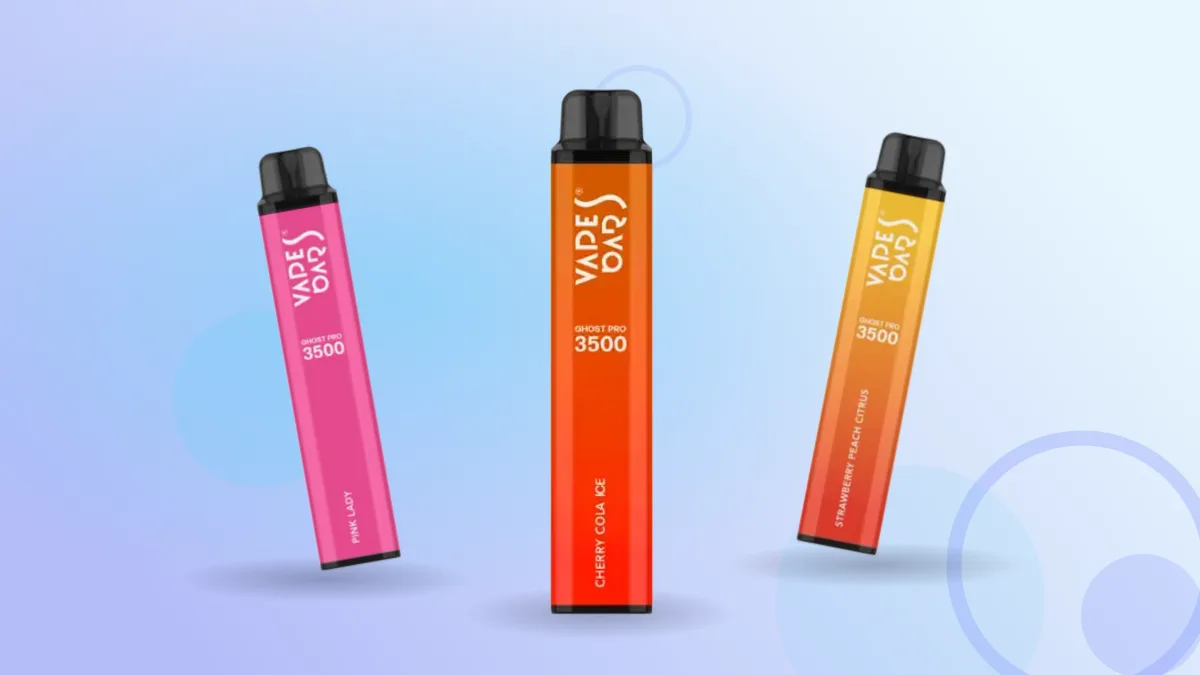
Ordering a disposable vape shouldn't feel more complicated than ordering dinner. But if you've never bought from a WhatsApp-only e-commerce brand before, the process can feel unfamiliar the first time — there's no cart icon, no "add to bag," no card entry screen. You send a message, a person replies, and a box shows up at your door hours later with cash changing hands on the doorstep. That's the entire Ghost Pro Sold-in-the-UAE model, and once you understand the sequence, it's faster and more flexible than a standard online checkout.
This is the exact walkthrough — step by step — for placing your first order with Ghost Pro 3500 Puffs, from the moment you open WhatsApp to the moment you're holding your device. Save it, screenshot it, or just keep this tab open next to your chat.
Why Ghost Pro Orders Run Entirely Through WhatsApp
Most people's first question is "why WhatsApp, and not just a website with a checkout button?" The short answer: it's a deliberate model, not a workaround. Ghost Pro doesn't run a self-serve cart because every order needs a live stock check before it's confirmed — flavours move fast, and a website inventory count can lag behind what's physically in a warehouse. A real person confirming your exact flavour is in stock right now, before a rider is dispatched, means you're not waiting for a "sorry, that's sold out" email after the fact.
It also means there's no card or online payment step to worry about. Every Ghost Pro order is cash on delivery, settled in AED when the device is handed to you — nothing to type into a payment form, no card details sitting on a server anywhere. For a nicotine product with an age restriction of 21 and over, a conversational order process also gives the team a natural point to confirm that basic requirement before anything is dispatched, rather than relying on a checkbox that anyone could tick without reading it.
There's a secondary benefit first-time buyers don't always anticipate: flexibility mid-order. On a typical e-commerce site, changing an order after placing it usually means cancelling, waiting on a refund, and starting again. Because a Ghost Pro order stays a live conversation until a rider is dispatched, small adjustments — swapping a flavour, adding a device, fixing a typo in your street name — can usually be handled with one follow-up message instead of a new transaction.
The trade-off is that you have to actually talk to someone, briefly, instead of clicking through an automated flow. For first-time buyers, that's the part worth preparing for — not because it's difficult, but because knowing what information to lead with saves two or three rounds of back-and-forth. That's what the rest of this checklist covers.
Before You Send That First Message: What to Have Ready
A little prep before you open the chat turns a five-message exchange into a two-message one. Here's what to have sorted in your head (or jotted in your notes app) before you type anything:
Your age. Ghost Pro sells a nicotine product restricted to buyers aged 21 and over. Be ready to confirm this plainly if asked — it's a standard step, not an accusation, and it applies the same way whether you're ordering one device or ten boxes.
Your delivery address, in full. Emirate, city or area, street or community name, building/villa number, and a nearby landmark if your location is tricky to pin down. The detail that actually helps depends on where you live: in a high-rise tower, the building name plus floor and unit number matters more than the street name; in a villa community, the community name plus villa number plus a cross-street or nearby gate is usually what a rider needs; if you're in a compound with a shared security desk, mentioning that upfront avoids a rider circling the block. A lot of UAE addresses benefit from "near X mall" or "behind Y tower" — it's often faster to type one landmark than to recall an exact plot number. Vague addresses are the single biggest cause of delivery delays, which we'll come back to later.
A rough idea of what you want. You don't need to know the exact flavour name yet — "something like a menthol" or "a sour fruity one" is enough to start — but knowing whether you lean toward cooling, tart, sweet, or classic styles will make the flavour conversation faster. If you already vape or smoke regularly, think about what you currently reach for: someone who smokes menthol cigarettes will usually gravitate toward Ice & Menthol, while someone who already vapes fruity disposables can generally jump straight into Tropical & Fruit or Berry Mix.
Whether you want a single device or a box. A single device runs 40 AED; a box of 10 runs 350 AED, which works out to roughly 35 AED per device. If you're not sure yet, that's fine — the team can walk you through the math once you know your flavour, and there's no penalty for starting small and asking about a box on a later order.
Cash on hand in AED. Since payment happens at the door, having close to the right amount ready (more on exact change below) speeds up the handover. If you know in advance that you'll only have larger notes, it costs nothing to flag that in the chat before the rider is dispatched.
A phone that can receive WhatsApp messages and calls. Riders may call ahead, especially for villa communities or buildings with security gates, so a phone that's charged and has signal matters more here than it would with an app that just pings a delivery-tracking screen.
Any secondary questions you want answered before you commit. If you're curious about the battery capacity, coil type, puff rating, or nicotine strength, there's no reason to wait until after ordering — ask in the same first message or the reply that follows, since the team is already there to answer it.
Step 1: Starting the Conversation on WhatsApp
Once you're ready, open WhatsApp and message +971 56 165 2004. This number is the single ordering channel for Ghost Pro — there's no separate "sales" or "support" line, so whatever you need (a first order, a stock check, a delivery question, a post-delivery issue) goes to the same chat. That's worth knowing on its own, because it means you never have to hunt for a different contact depending on what stage of the process you're at.
You don't need a formal opening line. A short, direct message works best:
"Hi, I'd like to order Ghost Pro 3500 Puffs. I'm in Dubai [or your emirate]. Do you have Watermelon Freeze in stock?"
Or, if you're not sure on flavour yet:
"Hi, first time ordering. What flavours do you currently have in stock, and can I get delivery to Sharjah today?"
Both give the team enough to work with immediately: your location (which affects delivery timing) and either a specific flavour or a request for options. Response times are generally quick during normal business hours, since the same channel handles both stock checks and order confirmations — you're not waiting in a ticket queue behind unrelated customer service issues the way you might with a large retailer's support inbox.
One thing worth doing at this stage: mention if you're ordering more than one flavour, or if you're buying for yourself versus placing a bulk order for a shop or event. It changes how the team quotes you on pricing and delivery, particularly around the free-delivery threshold covered further down.
Step 2: What You'll Get Back — Stock Check and Catalog
After your first message, expect a reply confirming whether your requested flavour is currently in stock, along with the price for a single device (40 AED) or a box of 10 (350 AED). If the flavour you asked for is temporarily unavailable, the team will typically suggest close alternatives in the same category rather than leaving you stuck — for instance, if Cherry Cola Ice isn't available, they might point you to another Ice & Menthol option like Red Apple Ice or Glacier Mint that scratches a similar itch.
If you didn't ask for a specific flavour, this is where you'll get the fuller picture. Ghost Pro's range spans 32 flavours across six categories: Ice & Menthol, Berry Mix, Tropical & Fruit, Grape Collection, Candy & Dessert, and Signature Classics. Rather than reading out all 32 names, the team will usually ask a clarifying question — "do you want something fruity, something menthol, or something more classic?" — and narrow it down from there based on your answer. If you want the full list to browse yourself first, you can ask for it directly and go back to the chat once you've picked something.
This exchange is also the natural point to ask anything else on your mind — nicotine strength (every device is filled with 10ml of 20mg-strength e-liquid, so there's no strength selection to make; it's the same across the entire range), battery specs, or how many puffs a device is rated for. You don't have to wait until checkout to ask questions; the WhatsApp format means you can clarify anything mid-conversation before committing, including whether the device needs charging first (it doesn't — it's ready straight from the packaging).
Step 3: Choosing Your Flavour (Or Flavours)
This is the part people spend the most time on, and reasonably so — flavour is the whole point of a disposable vape. A few pointers if you're deciding for the first time, category by category:
If you're coming from menthol cigarettes or you just like a cold finish, start in Ice & Menthol. Glacier Mint is the straightforward cooling option with no fruit underneath it — closest to a "pure menthol" experience — while Banana Ice, Blackcurrant Ice, Cherry Cola Ice, Red Apple Ice, and Watermelon Freeze all layer a specific fruit or cola note under that same chill. Cherry Cola Ice suits anyone who wants a soda-like taste with a cold finish rather than a straightforwardly fruity one, while Watermelon Freeze and Red Apple Ice read as the lighter, more refreshing end of the category.
If you want something tart and punchy, look at the Berry Mix category — Blue Sour Razz and Blue Razz Lemon lean genuinely sour, with the lemon note in the latter adding citrus on top of the raspberry base, while Berry Burst, Blackcurrant Berry Squash, Blueberry Pomegranate, Buba Blue, and Strawberry Grape sit closer to a sweeter mixed-berry profile without the sharp pucker.
For an all-day fruity vape without menthol, Tropical & Fruit is the biggest category at nine flavours — Peach Mango and Strawberry Kiwi are the most straightforward crowd-pleasers and a safe first pick if you're unsure, while Passion Kiwi Guava, Caribbean Crush, and Watermelon Bull stack multiple fruits rather than leaning on one dominant note. Apple Pear Strawberry, Strawberry Melon Chew, Strawberry Peach Citrus, and White Peach Razz round out the softer side of the range, reading more like a blended fruit candy than a single sharp fruit.
If you specifically like grape, the Grape Collection (Grape Bull, Great Grape) is worth a direct look rather than picking a grape-adjacent berry flavour and hoping it's close enough — grape has a distinct profile from blue raspberry or blackcurrant even though people sometimes lump them together.
For something sweeter and less fruit-forward, Candy & Dessert covers Candy Floss and Gummies. Candy Floss leans into classic spun-sugar sweetness with almost no fruit character, while Gummies reads closer to a mixed fruit-candy flavour, similar to the actual sweet it's named after.
And Signature Classics — Mr. Blue, Mr. Red, Red Angel, Pink Lady, Pink Orange Fizz, Sour Apple — is where the brand's flagship blends sit, mixing sweet, sour, and fruity notes into single-name signatures rather than an obvious flavour combo. These are worth trying once you've worked through the more literal fruit categories and want something that doesn't map onto one describable taste; since the names don't hint at the flavour directly, it's worth just asking the team to describe each one rather than guessing.
If you're ordering a box of 10, ask whether mixed flavours within one box are possible — the team can confirm this based on current stock when you place the order. This matters more than it might seem: a household or office splitting a box between two or three people with different preferences doesn't need to settle on one flavour just because they're buying together, provided stock allows for a mix.
Step 4: Deciding Between a Single Device and a Box of 10
Once you know what you want, the next practical decision is quantity. A single device is 40 AED. A box of 10 is 350 AED, which averages out to about 35 AED per device — a saving of roughly 12.5% per unit compared to buying singles (five AED off each of the ten devices, adding up to the 50 AED gap between 400 AED at single-device pricing and the 350 AED box price). If you already know you'll get through more than one or two devices, the box is the more economical route from day one, not just a bulk-buyer's move.
There's also a delivery-fee angle to factor in here. Standard delivery is 30 AED, but it's waived entirely on orders of 350 AED or more. If you're on the fence between one box and two, or ordering with a friend or housemate and combining an order, crossing that threshold means the delivery fee disappears — run the numbers side by side and one box plus delivery comes to 380 AED, while two boxes with the fee waived come to exactly 700 AED, meaning the second box effectively costs 320 AED once you net out the delivery saving. For anyone already leaning toward a second box eventually, ordering both at once is the cheaper path.
For a genuine first-time buyer who just wants to try the product, a single device at 40 AED is a low-commitment way to test a flavour before deciding whether to commit to a box. Plenty of first orders are exactly that — one device, one flavour, see how it goes — and then a box follows once you know your preference. There's no obligation to "graduate" to a box on a fixed timeline either; some buyers stick with single-device orders indefinitely because their usage doesn't justify holding ten at once.
For shared households or small offices, think about the order in terms of who's actually consuming it. If three people are splitting a box, working out the split and whether everyone wants the same flavour before you message the team saves a round of "wait, can we change it" partway through the conversation.
Step 5: Confirming Your Delivery Details
With flavour and quantity settled, the conversation moves to delivery. This is where the address details you prepared earlier pay off. Give the team:
- Your emirate (Dubai, Abu Dhabi, Sharjah, Ajman, Ras Al Khaimah, Fujairah, Umm Al Quwain, or Al Ain)
- Your area or community name
- Building name/number or villa number, and floor/apartment if relevant
- A landmark, if your address is easy to miss or GPS pins in your area are unreliable
- The best contact number for the rider, if different from your WhatsApp number
- Any access notes — a security desk, a gate code, a preferred drop-off point if you won't be answering the door yourself
Delivery windows vary meaningfully by emirate, so it's worth knowing what to expect based on where you are:
- Dubai — around 2 hours from confirmation
- Sharjah and Ajman — roughly 4 to 6 hours
- Abu Dhabi and Al Ain — around 6 hours
- Ras Al Khaimah, Fujairah, and Umm Al Quwain — roughly 6 to 12 hours
None of these are guarantees to the minute — traffic, time of day, and order volume all shift things slightly — but they're accurate enough to plan around. As a rule, the further an emirate sits from the main distribution point, the wider the window gets, which is why the northern emirates carry a broader 6-to-12-hour range rather than a tight estimate the way Dubai does. If you need the order to arrive before a specific time, mention that upfront; the team can tell you honestly whether it's realistic given your emirate and the time you're ordering, rather than you finding out only once the window has already started running. If you have flexibility, ordering earlier in the day gives more buffer against the upper end of a wider window than ordering right before you actually need it.
Step 6: Reviewing and Confirming the Order Summary
Before anything is dispatched, you should get a clear summary back: the flavour(s) and quantity, the per-unit or box price, the delivery fee (or confirmation that it's waived), and the total amount you'll pay in cash on arrival. This is your checkpoint to catch anything wrong — wrong flavour spelling, wrong quantity, wrong address — before a rider is on the way.
Read it properly rather than skimming. If everything matches what you intended, a simple "confirmed" or "yes, that's correct, please proceed" is all that's needed to move the order forward. If something's off — you meant Strawberry Kiwi, not Strawberry Melon Chew, or you want two boxes rather than one — say so before confirming, and be specific about the correction. "That should be Strawberry Kiwi, not Strawberry Melon Chew" resolves in one message; "that doesn't look right" usually triggers a round of clarifying questions first. It's far easier to fix at this stage than after a rider has already left the warehouse.
This step is also your last easy chance to add something to the order — say your main order is from Tropical & Fruit but you want to throw in one Signature Classics device to try. It's also the point to double check the maths yourself: add up the device or box price plus the delivery fee, if any applies, and make sure the total matches what you calculated, so there's no confusion at the door later.
Step 7: What Happens After You Confirm
Once you've confirmed, your order moves to dispatch. A rider is assigned and the delivery clock — based on the emirate-specific windows above — starts running. You may get a follow-up message on WhatsApp letting you know the order is on its way, and in areas with gated communities or specific building access, a rider may call your phone directly as they get close, so keep it within reach. There's no separate tracking link or live GPS map the way there might be with a food delivery app — the visibility you get is conversational, through messages and calls rather than a moving pin on a screen.
If anything changes on your end after confirming — you need to update the address, you'll be at a different location in an hour, or you want to add another device — message the same WhatsApp number immediately. Because everything runs through one conversational channel rather than a locked-in checkout system, changes are generally easier to make than with a typical e-commerce order, but only if you flag them before the rider is already at your door.
If you don't hear anything for longer than the upper end of your emirate's expected window, it's reasonable to send a polite follow-up asking for a status update rather than assuming something has gone wrong. Traffic, a run of orders in the same area, or a rider needing extra time to find an address can all stretch a window slightly without anything having actually failed.
Step 8: Cash on Delivery — Paying When It Arrives
Payment happens entirely at the point of delivery, in cash, in AED. There's no card payment, no link sent to your phone, no online transaction of any kind — the entire model is built around handing over cash when the device is handed to you. If a message ever asks you to pay online or send money in advance through a link, treat that as inconsistent with how Ghost Pro actually operates and flag it directly in the chat before doing anything.
A practical tip that saves everyone time at the door: try to have close to the exact amount ready, especially for larger notes. If your total comes to 350 AED for a box with free delivery, or 70 AED for a single device plus the 30 AED delivery fee, having that roughly prepared means the rider isn't stuck trying to make change on your doorstep. For a slightly larger order — say two devices at 40 AED each plus the 30 AED delivery fee, coming to 110 AED — it's worth doing that addition yourself in advance so the number isn't a surprise when the rider states it. If you only have larger denominations, mention that in the confirmation chat so the rider can plan for it; arriving with a 500 AED note for a 40 AED order without warning is one of the more common friction points on first orders.
Given the age restriction on this product, it's also reasonable for a rider to confirm you're 21 or over at the point of handover, particularly if there's any doubt. This isn't a Ghost Pro-specific quirk — it's standard practice for any age-restricted nicotine product, and having this settled in your original WhatsApp message usually means it's a non-issue by delivery time. Whoever opens the door to accept delivery should also be of legal age themselves — worth a thought if a flatmate or building security might accept the box on your behalf.
Step 9: Receiving and Checking Your Delivery
When the box or device arrives, take thirty seconds before the rider leaves to check that everything matches what you ordered. Confirm:
- The flavour name on the device or box matches what you confirmed in the chat
- The quantity is correct — one device, or the full 10-pack if you ordered a box
- The device itself looks sealed and undamaged, with no visible cracks or leaking around the mouthpiece
- If you ordered mixed flavours within a box, that the mix actually matches what was agreed, not just the total count
Every Ghost Pro device is built the same way regardless of flavour: a 1500mAh battery paired with a 1.2 ohm mesh coil, pre-filled with 10ml of 20mg-strength e-liquid, and rated for up to 3500 puffs. It's draw-activated with no button — you just inhale and it fires, and there's nothing to charge before first use since the battery and coil are matched to deliver the full rated puff count from the box. If your device doesn't produce vapor on the first few draws, check that you're drawing gently and steadily rather than in short, sharp pulls — mesh coils respond better to a longer, even inhale, and a common first-timer mistake is treating it like a quick puff on a cigarette. If you genuinely get no vapor after several proper draws, raise it in the same chat rather than assuming it's user error.
Worth knowing for planning purposes: the 3500-puff rating is an estimate, not a fixed countdown, since it depends on draw length and frequency. Short, light draws spread through the day will get you closer to the top of that range; longer, more frequent draws use through the e-liquid and battery faster. That's why one device can last noticeably longer for one person than another.
If anything about the delivered order doesn't match what was confirmed — wrong flavour, missing devices from a box, visible damage — raise it in the same WhatsApp chat right away, while the rider is still there if possible. Sorting it on the spot is far simpler than trying to resolve it after the rider has left, since it avoids any ambiguity about whether the issue happened in transit or was already present when the box left the warehouse.
Special Situations: Group Orders, Gifting, and Trying Several Flavours at Once
Not every order fits the simple "one person, one flavour, one address" pattern, and a few common variations are worth addressing directly.
Ordering for a group or office. If you're collecting requests from several people before placing one combined order, write out the full list — names next to flavours — before you message the team, rather than relaying it piece by piece as people respond to you. A combined order also puts you in a strong position to hit the free-delivery threshold of orders of 350 AED+, worth mentioning as you're collecting requests since a slightly bigger group order can come in cheaper per person than everyone ordering separately.
Gifting a device to someone else. If you're ordering to a different address than your own, say so upfront — the age-restriction and confirmation questions still apply to whoever answers the door, not just to the person who placed the order.
Trying several flavours instead of committing to one. If you can't decide, ordering two or three single devices from different categories is a reasonable way to compare before buying a full box of any one flavour. It costs more per device than a box would, but removes the risk of buying ten of something you don't end up liking.
If Something Goes Wrong
Most first orders go through cleanly, but it helps to know the normal resolution path for the handful of things that occasionally need sorting out. If a rider can't find your address, a phone call resolves it faster than more text messages — talking them in with a live landmark usually takes under a minute. If your delivery is running past the expected window, a polite check-in message is the right move rather than assuming the worst, since windows are estimates, not guarantees. If the wrong flavour or quantity arrives, flag it immediately in the same chat, ideally while the rider is still present, and be specific about what you ordered versus what showed up. And if you're unsure whether a message is genuinely from Ghost Pro, remember that all legitimate ordering happens through +971 56 165 2004, using cash-on-delivery in AED with no online payment step — a request for card details or a payment link is worth confirming through that number before acting on it.
Common First-Time Ordering Mistakes to Avoid
A few patterns come up repeatedly with new buyers, and avoiding them makes the whole process smoother:
Giving a vague address. "Dubai Marina" on its own isn't enough for a rider trying to find you within a 2-hour window. Building name, area, and a landmark cut down on back-and-forth calls significantly — and in villa communities specifically, a villa number without a community name is often no more useful than no address at all, since villa numbering frequently repeats across different communities.
Assuming card payment is available. It isn't, anywhere in this model — cash on delivery in AED is the only payment method. Don't wait until the rider arrives to discover you were planning to tap a card or use a digital wallet.
Not confirming age upfront. Since this is a nicotine product restricted to those 21 and over, mentioning your age early avoids any delay at delivery, and it applies to whoever opens the door, not just whoever sent the message.
Ordering without checking stock first. Flavours move quickly. If you have your heart set on one specific flavour, confirm it's in stock before finalizing quantity and delivery details, rather than assuming availability from a previous order.
Expecting Dubai-speed delivery everywhere. The roughly 2-hour Dubai window is the fastest in the network — Ras Al Khaimah, Fujairah, and Umm Al Quwain run 6 to 12 hours by comparison. Plan your order timing around your actual emirate, not the fastest one.
Not asking about the free-delivery threshold. If you're close to an order of 350 AED or more, ask whether adjusting your order slightly waives the 30 AED delivery fee — it often works out cheaper than it looks once you run the actual numbers.
Misnaming flavours. With 32 flavours across six categories, some names are close (Blue Razz Lemon vs. Blue Sour Razz, Strawberry Kiwi vs. Strawberry Melon Chew). If you're not certain of the exact name, describe the taste you want and let the team match it, rather than guessing.
Not having a reachable phone during the delivery window. Even a strong address benefits from a rider being able to call if they're circling a block or need a gate code. A phone on silent defeats the purpose of having a contact number on file at all.
Reordering and Stock Checks Made Easy
Once you've placed a first order, every order after that is faster — you already know the format, the team may have your address on file, and you know roughly what delivery timing to expect for your emirate. A reorder message can be as short as: "Hi, same as last time — [flavour], one box, same address." If you want something new, the earlier flavour breakdown is a good starting point for branching into a different category next time — trying something from the Grape Collection after a Tropical & Fruit order, or picking up a Candy & Dessert flavour like Gummies as a change of pace.
It's also worth checking in periodically even if you're not ready to order — a quick "what's currently in stock?" message costs nothing and means you're not caught out when your preferred flavour is temporarily unavailable. This is particularly useful if your favourite sits in a smaller category like Grape Collection or Candy & Dessert, where there are fewer alternatives to fall back on if your first choice is out. If your preferences shift over time, there's no downside to saying so directly — the team can suggest a starting point in a category you haven't tried yet based on what you've liked so far.
Ghost Pro's aggregate 9.9/10 rating across 383 verified UAE customer reviews reflects a consistent process across thousands of these WhatsApp exchanges — the mechanics described in this guide are the same ones behind that track record. First orders and hundredth orders go through the same steps; familiarity just makes each one faster.
Your Quick-Reference Ordering Checklist
If you just want the short version to keep on hand before your first message, here it is in order:
- Confirm you're 21 or over and have your full delivery address ready (emirate, area, building, landmark, and any access notes like a gate or security desk).
- Message +971 56 165 2004 on WhatsApp with your location and flavour idea (or ask for the full range).
- Wait for stock confirmation and pricing — 40 AED for a single device, 350 AED for a box of 10.
- Pick your flavour(s) from the six categories: Ice & Menthol, Berry Mix, Tropical & Fruit, Grape Collection, Candy & Dessert, or Signature Classics.
- Decide single device vs. box of 10, and check if you're close to the free-delivery threshold (orders of 350 AED+).
- Give your full delivery address and confirm your emirate's expected delivery window.
- Review the full order summary — flavour, quantity, total cost — and reply to confirm, correcting anything that's wrong before you do.
- Have cash in AED ready, ideally close to exact change, for payment on delivery.
- Keep your phone reachable during the delivery window in case the rider needs to call.
- Check the delivered device or box against your order before the rider leaves.
- Save the WhatsApp number for future reorders and stock checks.
Eleven steps, one phone number, no forms to fill in. The whole thing is handled entirely within a single WhatsApp thread — no app to download, no account to create, no card to enter. Once you've been through it once, every future order takes a fraction of the time.
Quick answers
Do I need to create an account or download an app to order from Ghost Pro?+
No. Every order is placed and managed entirely through a single WhatsApp chat with +971 56 165 2004. There's no app to install and no account or profile to set up.
How much does Ghost Pro 3500 Puffs cost?+
Every flavour is priced the same: 40 AED for a single device, or 350 AED for a box of 10, which works out to roughly 35 AED per device.
Can I pay by card?+
No. Payment is cash on delivery in AED only, settled when the device is handed to you. There is no card payment, online payment, or payment link involved anywhere in the process.
How long does delivery take?+
It depends on your emirate: around 2 hours in Dubai, roughly 4 to 6 hours in Sharjah and Ajman, around 6 hours in Abu Dhabi and Al Ain, and roughly 6 to 12 hours in Ras Al Khaimah, Fujairah, and Umm Al Quwain.
Is delivery free?+
Standard delivery is 30 AED, but it's waived entirely on orders of 350 AED or more.
What if my exact flavour is out of stock?+
The team will typically suggest a close alternative in the same category based on current stock, so you're not left without options if your first choice isn't available that day.
Is there an age requirement to order?+
Yes. Ghost Pro 3500 Puffs is a nicotine product restricted to buyers aged 21 and over, and this is confirmed as part of the ordering and delivery process.
Can I change my order after I've confirmed it?+
Yes, as long as the rider hasn't already been dispatched to your door. Message the same WhatsApp number right away with the change — a flavour swap, an address update, or an added device — since everything runs through one ongoing conversation rather than a locked checkout.
Related guides
Ghost Pro Watermelon Bull Review: Taste, Price & Where to Buy in Dubai (2026)
We put Ghost Pro Watermelon Bull through a full review — taste, comparisons, and whether this bold, energy-drink-inspired flavour is worth ordering in the UAE.
How E-Liquid Ratios Affect Throat Hit and Vapour Density
PG and VG aren't just filler — they decide whether a puff feels sharp or smooth, and whether it disappears into thin air or hangs in a thick cloud. Here's what actually drives throat hit and vapour density, and how it plays out in a 20mg nicotine salt disposable.
Ghost Pro Flavours Chart: Sweetness, Sourness and Cold for All 32
An editorial chart of all 32 Ghost Pro flavours, rated on sweetness, sourness and cooling, with links to every flavour.
Watermelon Freeze vs Watermelon Bull: Two Takes on Watermelon
Ghost Pro built two watermelon vapes that couldn't be more different: Watermelon Freeze brings juicy fruit and strong menthol chill, while Watermelon Bull goes full energy-drink watermelon with zero ice. Here's how to pick.